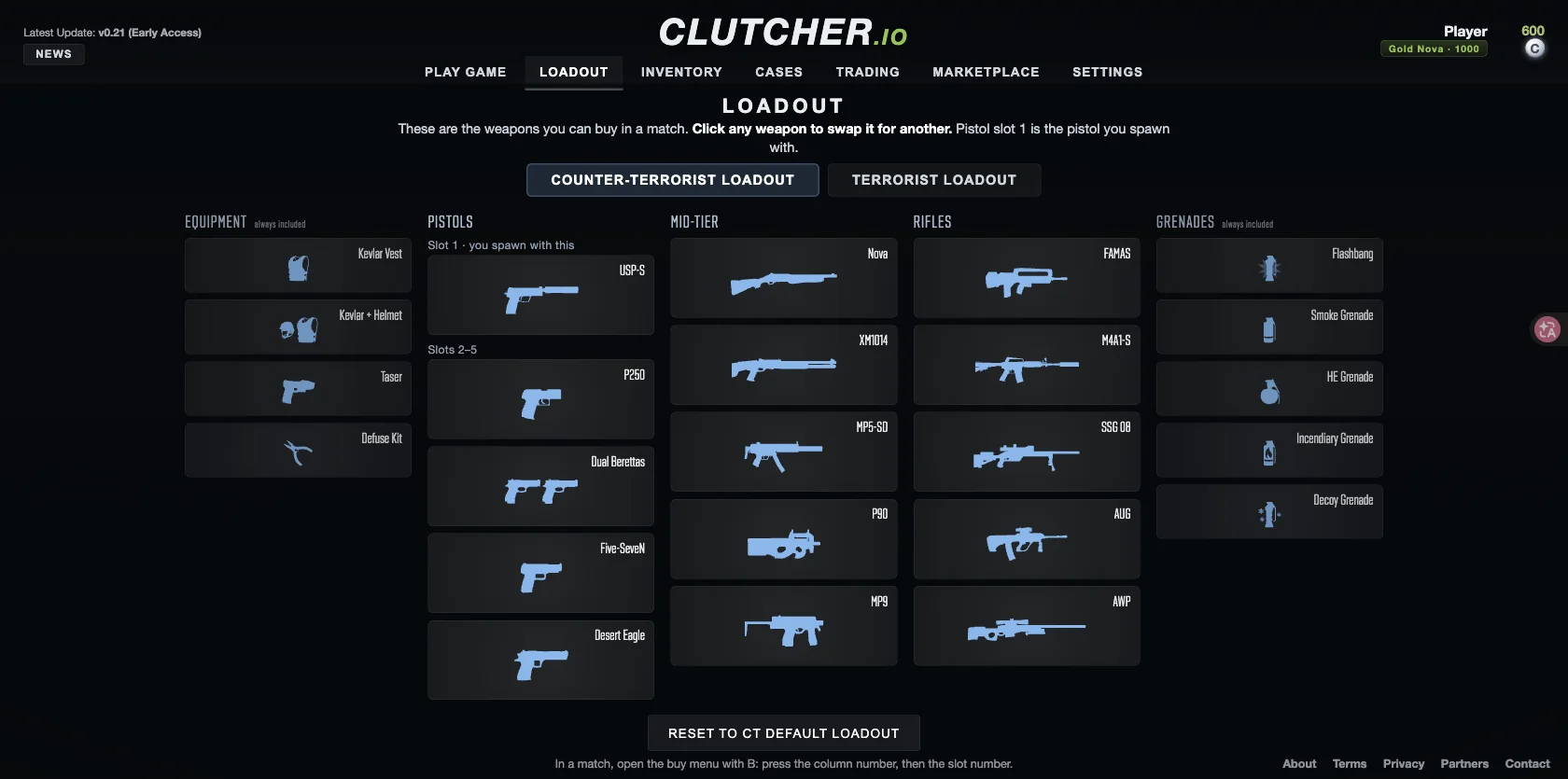
Change a loadout slot
- Return to the main menu when appropriate and open Loadout.
- Select the CT or T loadout you want to change.
- Click the weapon in the slot you want to replace.
- Choose from the replacement options shown by the current interface.
- Check pistol slot 1 if your goal is to change the spawn pistol.
- Start a match and inspect the available purchases during a valid buy window.
Loadout is different from buying
Changing your prepared weapon choices and purchasing equipment for a round are separate actions. In Bomb Defuse, press B in your team’s spawn area during the first 44 seconds. The menu instructions describe buying with the column number followed by the slot number. The official help lists $1,000 starting money and a $10,000 maximum balance.
If an expected purchase is unavailable, check your side’s loadout, location, buy time and dollar balance before treating it as a failed change. The C counter used elsewhere in the menu is a separate balance. A daily C reward does not establish that you can afford a weapon in the current round.
Switching and dropping during play
The checked key bindings list Q for Last Weapon and G for Drop Weapon. Those actions change what you are holding or drop it; they do not replace the main-menu loadout workflow. R reloads, Mouse 2 aims or scopes and F inspects the weapon.
If your goal is to alter appearance, inspect Inventory and the relevant item controls instead of assuming every cosmetic action belongs in Loadout. The Cases, Trading and Marketplace entries are visible in the main menu, but their presence alone does not verify every item transaction or ownership behavior.
If the result still differs
Record the slot you changed, the mode you entered and the exact option you expected to see. Compare the main-menu setup with the in-round menu. That gives a useful reproduction case without guessing at hidden unlocks, account requirements or restrictions that the current interface has not stated.
Sources & verification
Checked on . The game is in early access; menu labels and availability can change.